

Create a patient
Create a patient record and connect it to a customer.
Platform · Last verified:
Starting route: /patients
Required access: Patient creation must be available to your role.
- Open Patients → Records.
- Use New patient to open Add Patient.
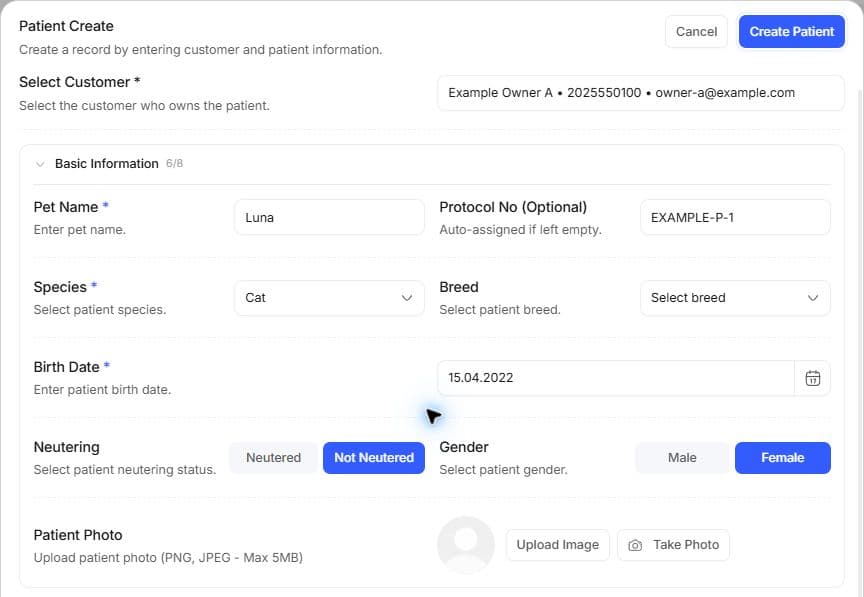
- Enter the patient's identity/biographical details and the related customer as the form requests.
- Search for the saved patient on
/patients; open Patient Detail or the full/patients/[fp]page.
If the customer does not exist, New customer on /customers starts Add Customer. It checks the phone first; when a number belongs to an existing customer or PetConnect account, it points to the existing record or connection flow instead of creating a duplicate. You can continue to patient creation after adding the customer.
People screens · Finding records.
Preparation and fields
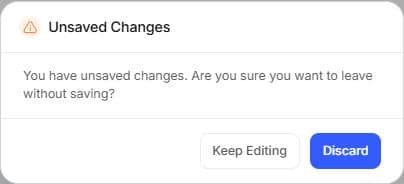
If a confirmation appears when closing an unsaved draft, read it before choosing. Discard abandons only the draft; it does not delete an existing patient or customer record.
Search customers and patients first. Checking the customer's existing phone helps avoid duplicates. If it belongs to an existing PetConnect account, follow the connection-request result; an invitation is not an accepted connection.
Check patient name, species/breed, sex, birth date and owner. Enter weight with its unit. Microchip and old protocol numbers help distinguish records. Do not turn an unknown birth date or breed into a guessed fact. For two patients called “Luna,” compare owners and microchips.
Verify and continue
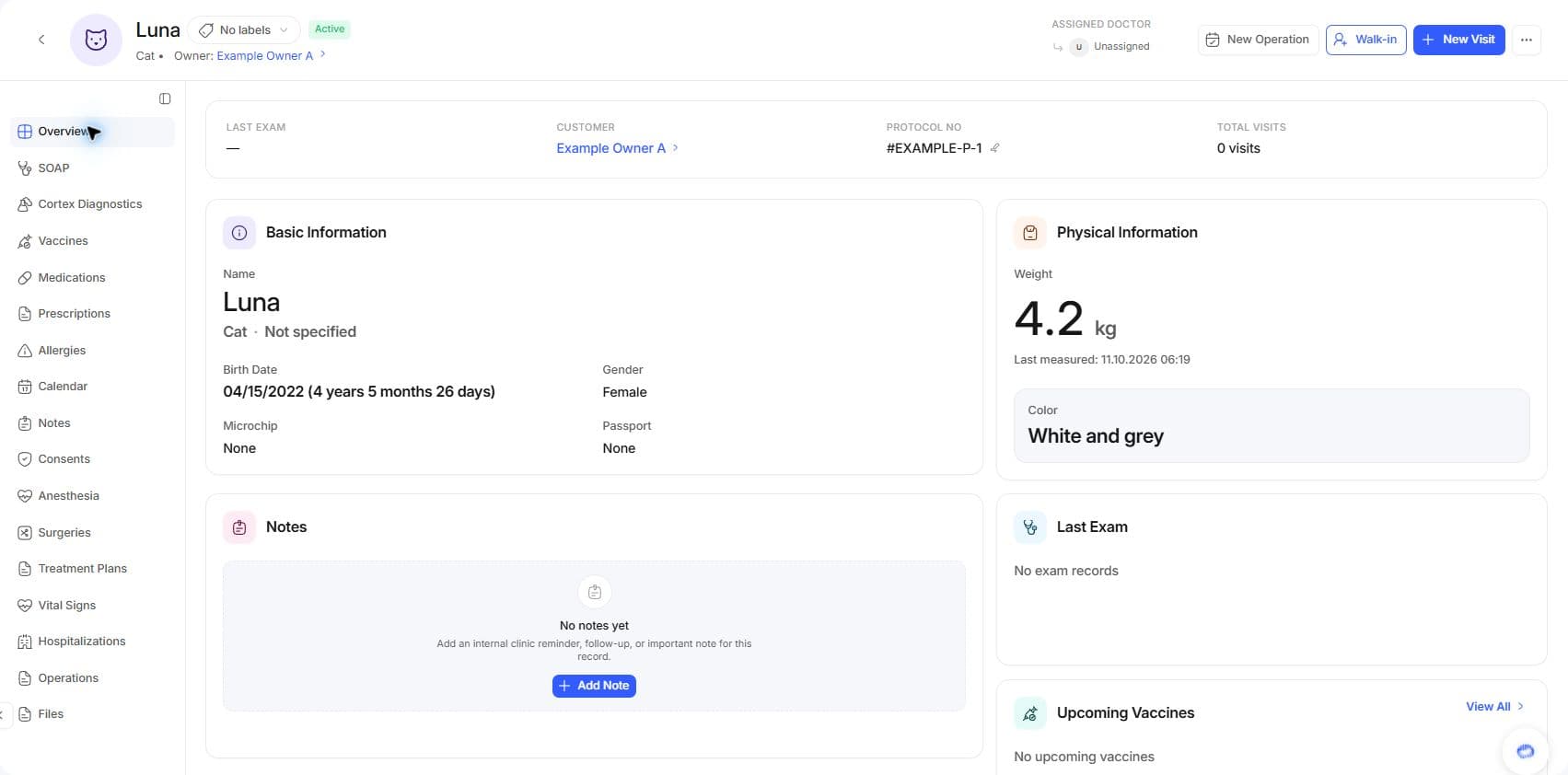
The saved overview shows the initial 4.2 kg value; a later 4.3 kg follow-up is a separate weight measurement. Verify the customer and protocol, then open the next clinical workflow from this detail rather than creating the patient again.
Open the record to verify customer relationship, clinic visibility and biography. A new identity record does not create an examination or vaccine history; open those clinical workflows separately. Manage notes and tags through permitted detail controls.
If absent from the list, inspect filters and the clinic connection. PetConnect visibility also depends on ownership and sharing conditions. See access issues.