

Create/edit patients and manage lifecycle
Record the correct owner, species and identity; distinguish death from deactivation.
Platform · Last verified:
Start from Patients or Add Patient in customer detail. Search for the same animal first; customer and patient are separate identities.
Create
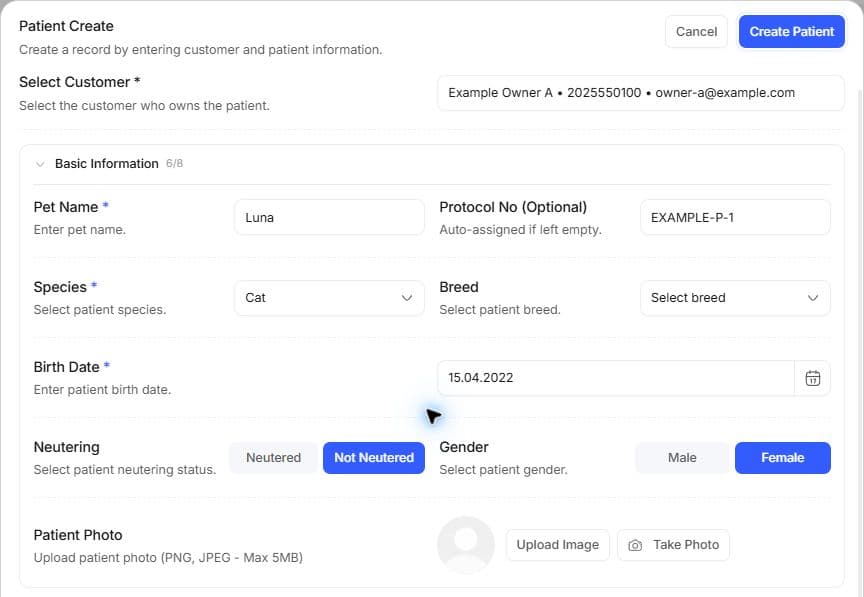
The illustrated owner and patient are fictional. Complete required fields from known information; do not use sample values to fill an unknown breed or identity number.
- Choose the owner or complete the customer path. In the shared wizard, verify the transition from customer to patient.
- Enter the patient name and species; choose an offered breed. Recheck breed after changing species. Do not guess an unknown breed.
- Fill sex, neutering, birth date and visible lifecycle/active fields from real information.
- Enter weight in kg with its measurement context. Complete photo, colour and available identities. Microchip, passport and tattoo are separate fields.
- Save. Check patient/owner, species and state in the resulting detail before appointments or examinations.
Editing, labels and identity
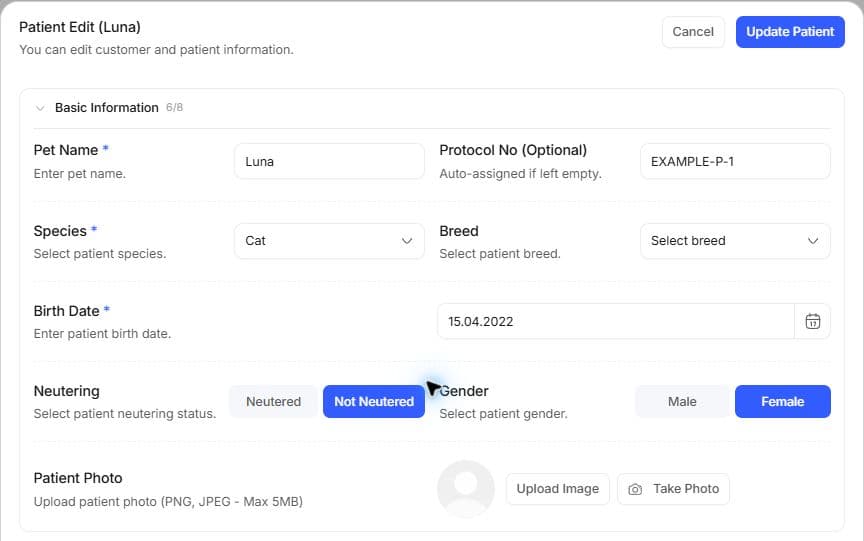
Use creation for a new record and editing for an existing one. Open the saved patient's overview to check the owner and protocol.
Edit Patient changes existing information. Removing a photo and uploading another are separate choices. Use the label entry beside the name for clinic categorization; a label is not a diagnosis or administration. Sample records lock some identities.
If owner/clinic linkage is wrong, inspect the permitted correction path instead of duplicating the patient. Another clinic's older medical record may belong to this patient's history; it does not become editable as your clinic's record.
Death and active state
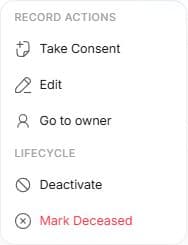
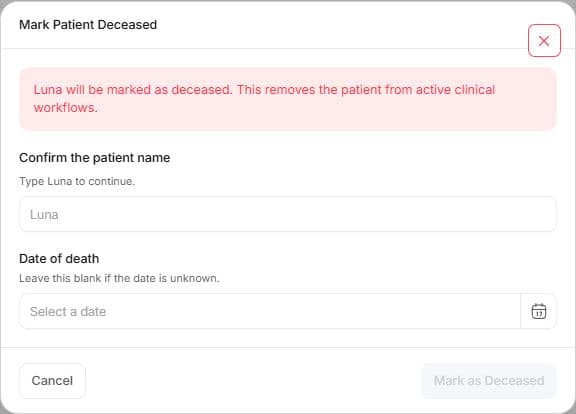
Confirm the displayed patient name before recording death. Leave an unknown death date blank. Opening the window or changing a filter does not record death; submitting removes the patient from active clinical workflows.
Death, temporary deactivation and no longer being connected to your clinic are different conditions. Read confirmation and requested date for consequential actions such as Patient Death. After active-state changes, use the relevant list filter. If reactivation is offered, verify the result in patient and customer detail; a filter does not reverse recorded death.
Example: compare owner and microchip for two Luna records instead of relying on names. An initial 4.2 kg value and later measurement are tracked separately in weight history. Short creation workflow.